

Table of Contents


Variables are used to store data in a computer’s memory. A variable’s name should clearly describe the kind of data it holds. In Python, you don’t need to declare the data type of a variable—Python automatically detects it.

Some common data types in Python include:

  • Integers (int) for whole numbers

  • Floats for decimal numbers

  • Booleans for True or False values

  • Strings for text

We’ll look at 10 examples of these within 15 minutes.

Example 1 an integer

Here we store the number 5714 in a variable named strikeouts.

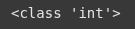
It then prints the value and confirms it’s type using type(), which will out put <class ‘int’>.

				
					strikeouts = 5714


					print(strikeouts)


					print(type(strikeouts))


Example 2 float

Here we store the value 3.19 in a variable called era.

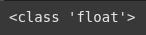
We check the type using the type() method and it shows its a float.

				
					era = 3.19


					print(era)


					print(type(era))


Example 3 String

The variable “position” holds the text “Pitcher”.

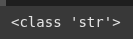
The type() method confirms it’s a str, which stands for string.

				
					position = 'Pitcher'


					print(position)


					print(type(position))


Example 4 Boolean - True or False

Here, we store the Boolean “True” in a variable called hall_of_fame.

A Boolean can only be True or False.

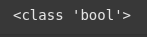
we use the type tocheck the “hall_of_fame” and it returns a bool(Boolean)

				
					hall_of_fame = True


					print(hall_of_fame)


					print(type(hall_of_fame))


Example 5 Chained Assignments

This line assigns values to three variables at once:
Wins = 324, Losses = 292, and WHIP = 1.247

This is called chained or multiple assignment and is a clean way to intitialize multiple vairables in one line

				
					Wins, Losses, WHIP = 324, 292, 1.247


					print(Wins)


					print(Losses)


					print(WHIP)
				
			
How do new values impact variables

Here we reassign a new number 377 to the Wins variable

				
					Wins = 377
				
			
Combine multiple variables

This code defines two string variables, first_name and last_name, then combines them using the + operstor and a space ‘ ‘ to form a full name.

Its also called string concatenation

				
					first_name = 'Nolan'


					last_name = 'Ryan'


					full_name = first_name + ' ' + last_name


					print(full_name)
				
			
cast variable str(age)
				
					number = 34


Here we are also performing string concatenation but we convert the variable “number” from an interger(int) to a string(str)

				
					full_name_number = first_name + ' ' + last_name + ' number ' + str(number)


					print(full_name_number)


Rules for Naming Variables in Python

Variable names cannot start with a number.

Variable names cannot contain dashes (-).

Variable names cannot have spaces.

Examples of invalid variable names:

1variable (starts with a number)

my-variable (contains a dash)

my variable (contains a space)

Here, we assign the value 1000 to the variable student_count. The varaible name clearly describes what the value represents.
Once assigned, you can use student_count anywhere in your python program to refer to this value(1000)

				
					students_count = 1000 #allocate memory to store 1000
#use this name anywhere in our program


					print(students_count)


Constants and Literals

Constants are variables whose values should not be changed after assignment.

In Python, constants are usually written in all uppercase letters by convention (e.g., PI = 3.14), but Python does not enforce this.

Literals are fixed values directly written in code, such as numbers (10, 3.14) or strings ("Hello").

Free Community

Join 1,000+ AI Automation Builders

Weekly tutorials, live calls & direct access to Ryan & Matt.

Join Free →

Keep Learning

Streamlit Async

Streamlit runs Python scripts top-to-bottom when ever a user interacts with widget.Streamlit is synchronous by default, meaning each function waits for the...

Streamlit Caching

Streamlit runs your script from top to bottom whenever you interact with the app.This execution model makes development super easy. But it...

Streamlit Tutorial

Streamlit can help businesses automate a ton of tasks in a short amount of time. It essentially is a quick UI you...

Gradient boosting classifier

Gradient Boosting is an ensemble technique that builds a strong model by combining multiple weak decision trees. While it may seem similar...