
When working with incoming data, it’s often essential to extract meaningful, structured information for further analysis or automation. The Information Extractor node provides an efficient way to achieve this.
Before extraction, it’s important to convert any binary data into text. This ensures that the extractor can accurately interpret and process the content. Once the text is available, the node can then identify and structure the relevant information seamlessly.
While it’s technically possible to use an AI Agent for this task, it isn’t necessary in this case. Since there’s no need for memory or tool-based reasoning, the Information Extractor node is sufficient on its own. It comes with a built-in JSON output parser and an integrated prompt system that automatically extracts key details , eliminating the need for additional AI components.
In short, the Information Extractor node offers a simple yet powerful way to transform raw text into structured data, ready for use in downstream workflows.
Before we start, if you are looking for help with a n8n project, we are taking on customers. Head over to our n8n Automation Engineer page.
Example 1 - Extracting Attributes from Descriptions
When processing data, one of the most common use cases for the Information Extractor node is to identify and classify attributes directly from textual descriptions. This helps transform unstructured information into a structured, machine-readable format.
How It Works
You simply provide a description, and the extractor identifies the key attributes within it, assigning each to the appropriate data type.
Supported Attribute Types
The Information Extractor node can detect and classify the following attribute types:
Boolean : Represents true/false or yes/no values.
Example: “The user is active” →active: trueDate : Captures specific dates or timestamps.
Example: “Created on June 15, 2024” →created_date: "2024-06-15"Number : Extracts numeric data such as quantities, prices, or percentages.
Example: “The temperature is 28°C” →temperature: 28String : Handles general text values, such as names, categories, or descriptions.
Example: “Product type: Solar Charger” →product_type: "Solar Charger"
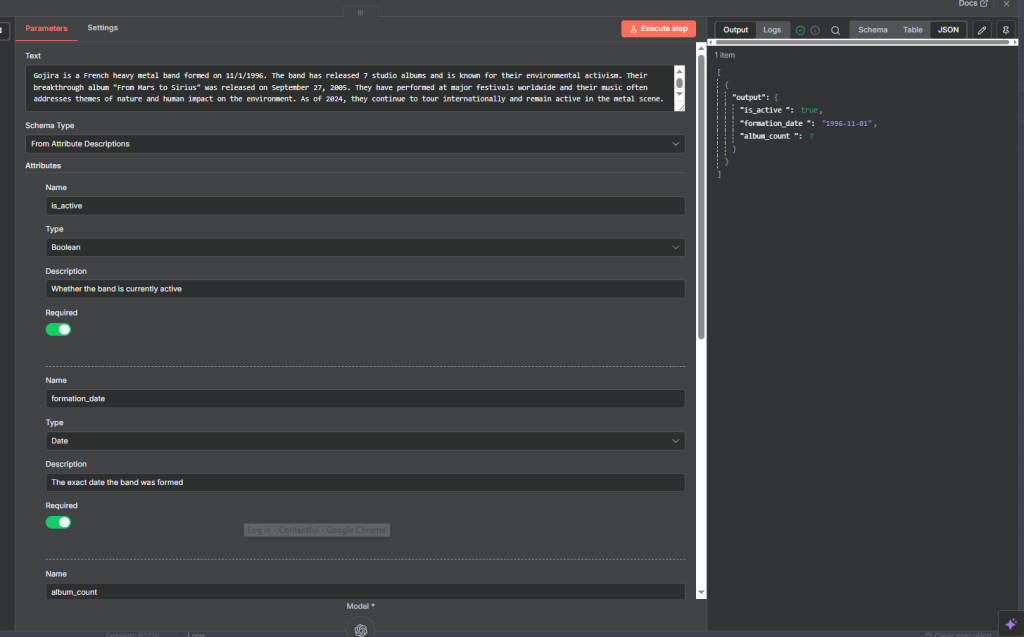
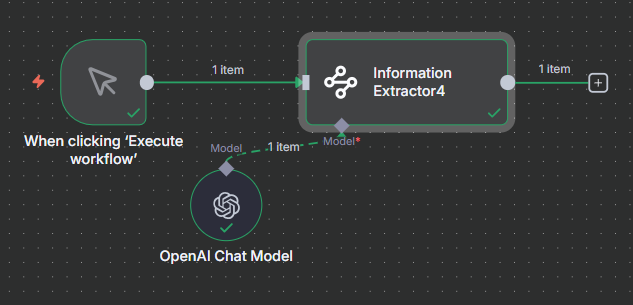
Here, we paste a text to the Information Extractor node.
and set several atrributes:
Name
is_active
Type
Boolean
Description
Whether the band is currently active
Required: True
Name
formation_date
Type
Date
Description
The exact date the band was formed
Required: true
Name
album_count
Type
Number
Description
Total number of studio albums released
Required: true
Name
origin
Type
String
Description
The city and country where the band was formed
Required
Text pasted:
Gojira is a French heavy metal band formed on 11/1/1996. The band has released 7 studio albums and is known for their environmental activism. Their breakthrough album “From Mars to Sirius” was released on September 27, 2005. They have performed at major festivals worldwide and their music often addresses themes of nature and human impact on the environment. As of 2024, they continue to tour internationally and remain active in the metal scene.
Code Execution
Example 2 - Generating from a JSON Example
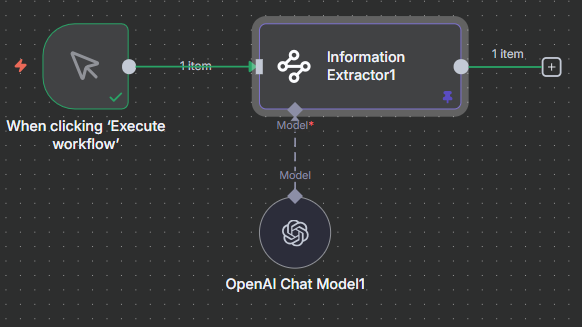
You can also use the Information Extractor node to generate structured data directly from a JSON example.
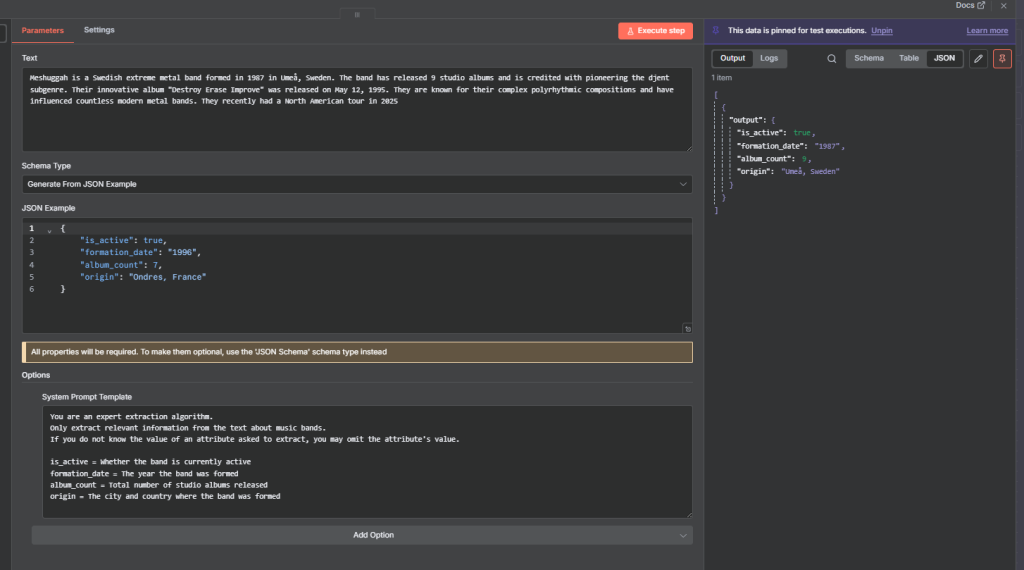
Use a System Prompt to provide additional context, such as:
Whether the band is currently active
The year the band was formed
Total number of studio albums released
The city and country where the band was formed
This ensures the extracted output matches the desired JSON structure and captures all key details accurately.
Here, we set the Schema Type: Gnerate From JSON Example
and pass this as the JSON Example
					{
	"is_active": true,
	"formation_date": "1996",
	"album_count": 7,
	"origin": "Ondres, France"
}
The text to query is :
Meshuggah is a Swedish extreme metal band formed in 1987 in Umeå, Sweden. The band has released 9 studio albums and is credited with pioneering the djent subgenre. Their innovative album “Destroy Erase Improve” was released on May 12, 1995. They are known for their complex polyrhythmic compositions and have influenced countless modern metal bands. They recently had a North American tour in 2025
Full flow
Example 3 - Defining with a JSON Schema
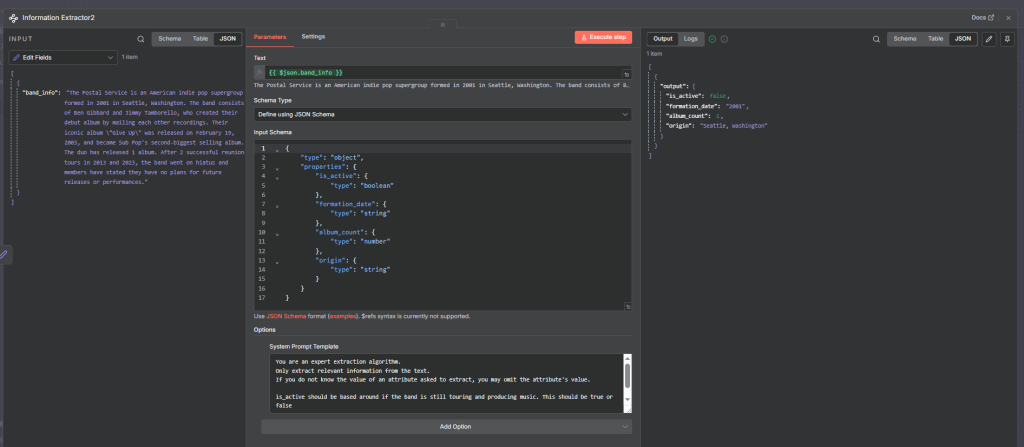
Another approach is to define your output structure using a JSON Schema.
This allows the Information Extractor node to map extracted data precisely to predefined fields and data types.
Use a System Prompt to provide extra context or rules for how each field should be interpreted during extraction.
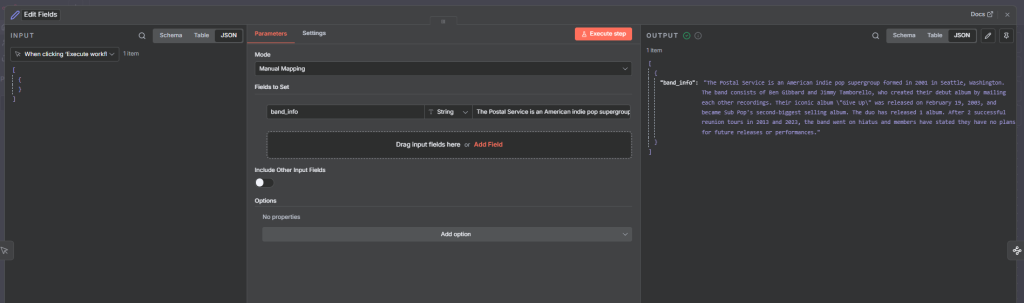
Edit field node with text:
The Postal Service is an American indie pop supergroup formed in 2001 in Seattle, Washington. The band consists of Ben Gibbard and Jimmy Tamborello, who created their debut album by mailing each other recordings. Their iconic album “Give Up” was released on February 19, 2003, and became Sub Pop’s second-biggest selling album. The duo has released 1 album. After 2 successful reunion tours in 2013 and 2023, the band went on hiatus and members have stated they have no plans for future releases or performances.
Information Extractor node:
with input schema:
					{
	"type": "object",
	"properties": {
		"is_active": {
			"type": "boolean"
		},
		"formation_date": {
			"type": "string"
		},
		"album_count": {
			"type": "number"
		},
		"origin": {
			"type": "string"
		}
	}
}
Example 4 -Chat Input
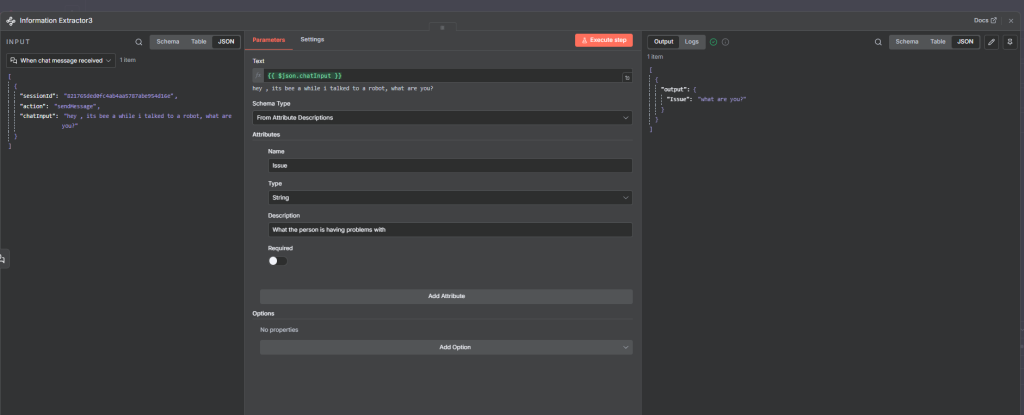
The Information Extractor node can also process chat-style messages.
Example input:
“Hey Ryan, thanks for dropping a 30-minute webhook video. Up until 10 minutes, I understand what’s going on, but I get a bit confused at the 11-minute mark.”
This type of input can be analyzed to extract structured insights such as the topic (webhook video), duration mentioned, and user sentiment or feedback context.
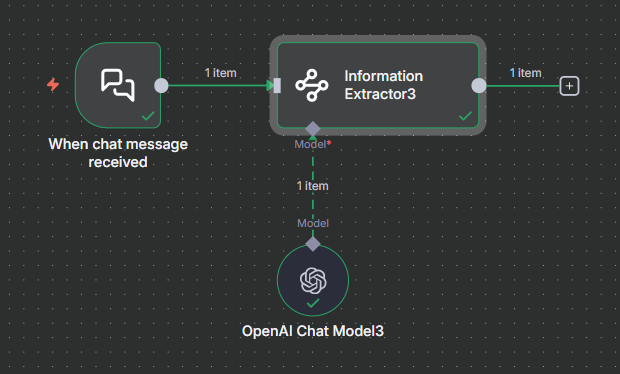
Example text prompt
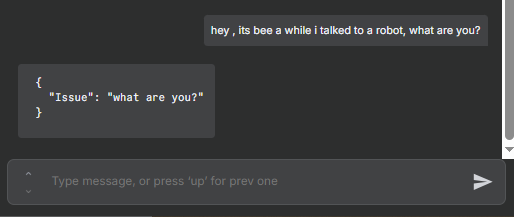
Information extractor
Final thought
The Information Extractor is a tool that transforms unstructured or semi-structured data into clean, structured formats like JSON. It can process text, chat inputs, or binary data (once converted to text) and automatically identify key attributes, values, and types. With built-in prompts, schema support, and a JSON output parser, it eliminates the need for a separate AI agent, making data extraction fast, consistent, and reliable.
Thank you for reading this article. Make sure to check out our other n8n content on the website. If you need any help with n8n workflows we are taking on customers so reach out
