
Lambda functions in Python are small, anonymous functions defined using the lambda keyword.
They are typically used for short, throwaway functions that are needed for a brief period, such as within map(), filter(), or sorted() calls.
A lambda can take any number of arguments but only one expression, which is evaluated and returned.
For example, lambda x: x *2 defines a simple function that doubles it’s input.
Lambdas help make code more concise and readable in cases where defining a full function is unnecessary.
					import pandas as pd
import numpy as np
import seaborn as sns
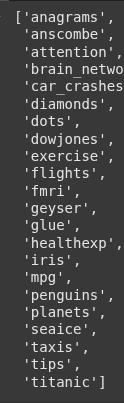
We use the sns.get_dataset_names() to get different datasets.
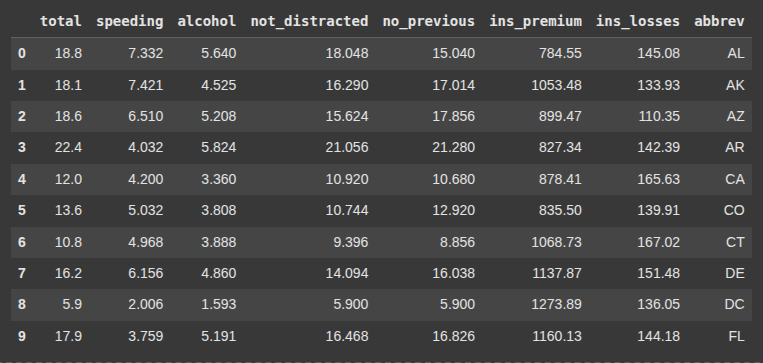
Next we load the ‘car_crashes’ dataset using sns.load_dataset
sns.get_dataset_names()
df = sns.load_dataset('car_crashes')
df.head(10)
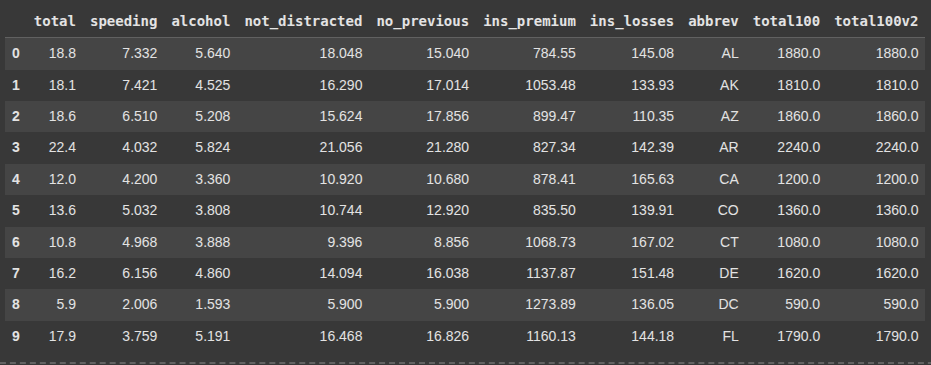
Here we create a new column in the DataFrame where each value is the result of multiplying the corresponding value in the total column by 100.
df['total100'] = df.apply(lambda x: x['total']*100, axis = 1)
Here, we also create a new column by multiplying values in the total column by 100. This time using a more direct approach.
df['total100v2'] = df['total'].apply(lambda x: x*100)
df.head(10)
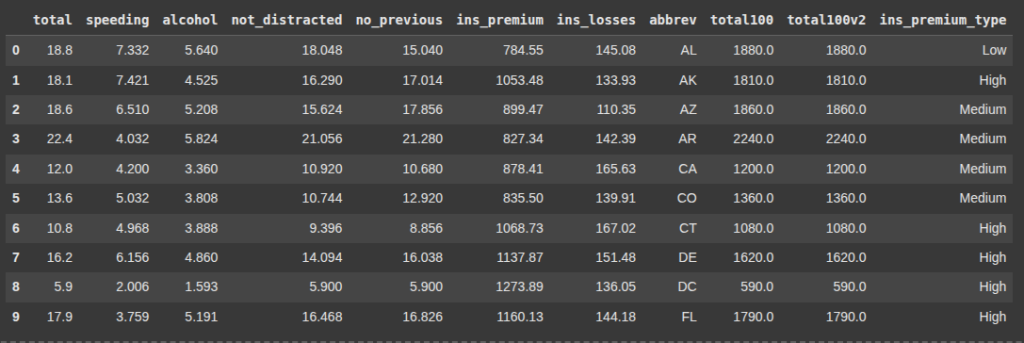
Here each value in the ‘ins_premium_type’ column is evaulated and assigned High, Medium or Low based on it’s amount.
df['ins_premium_type'] = df['ins_premium'].apply(lambda x: 'High' if x > 1000 else 'Medium' if x > 800 else 'Low')
df.head(10)
Next we have Lambda with Two Columns.
Here, we create a new column by summing values from two existing columns: speeding and alcohol.
Using apply() with a lambda function is a flexible way to perform row-wise operations in pandas.
Here, we create a new column called speedalcohol by adding together the values from the speeding and alcohol columns for each row.
df['speedalcohol'] = df.apply(lambda x: x['speeding'] + x['alcohol'], axis = 1)
df.head(10)
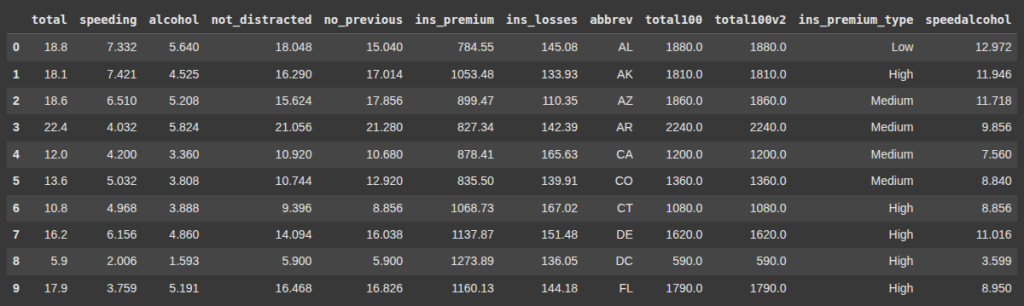
Next we update rows
Here we convert all the values abbrev column to lowercase. i.e updating the abbrev.
df['abbrev'] = df['abbrev'].apply(lambda x: x.lower())
df.head(10)
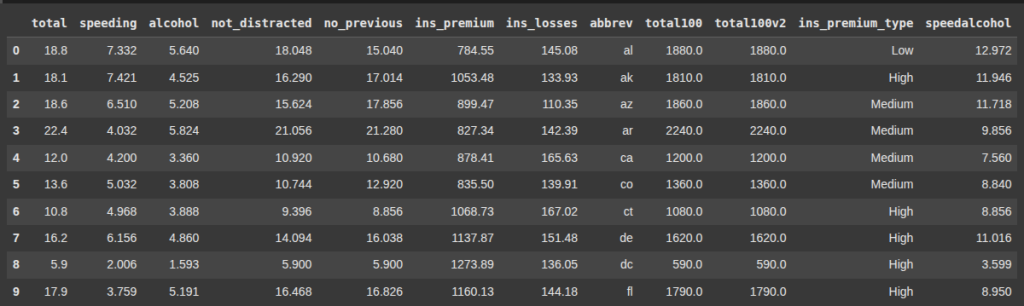
Here, we converted to uppercase ‘fl’, ‘ga’, ‘sc’ , ‘nc’, while others remain unchanged.
df['abbrev'] = df['abbrev'].apply(lambda x: x.upper() if x in ['fl', 'ga', 'sc', 'nc'] else x)
df.head(10)
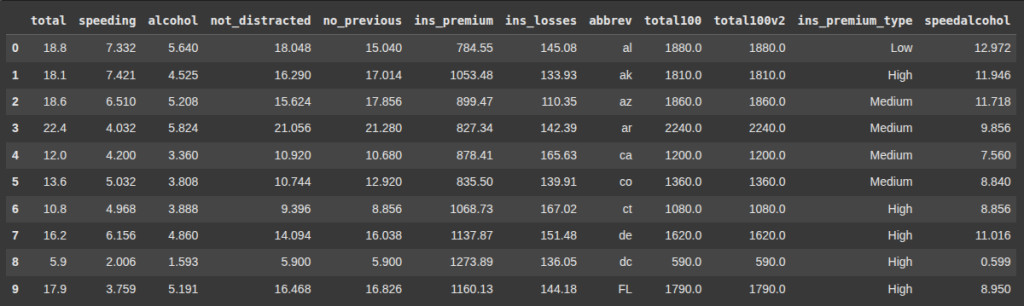
This line subtracts 3 from values in the speedalcohol column only if the value is exactly 3.599; otherwise, it leaves the value unchanged.
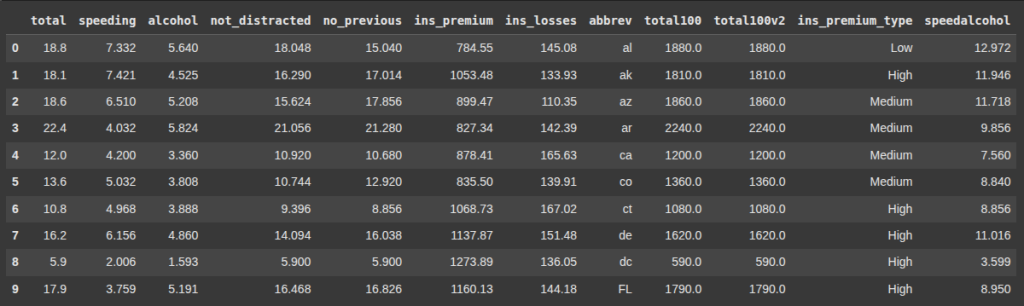
['speedalcohol'] = df['speedalcohol'].apply(lambda x: x-3 if x == 3.599 else x)
df.head(10)
Final Thoughts
Lambda functions are awesome to use with Apply. Hopefully you learned how to use them in this article. Check out our other Pandas Content on the site
